
Primitives & Transforms
Every parametric part starts from primitives (boxes, cylinders, spheres, cones, tori) and gets to its final form by transforming and combining them. This chapter covers the primitives brepjs ships, the options each accepts, and the transform vocabulary that moves them around.
The primitives
import { box, cylinder, sphere, cone, torus, measureVolume, unwrap } from 'brepjs/quick';

box(30, 20, 10); // width × depth × height
cylinder(5, 20); // radius, height
sphere(8); // radius
cone(10, 5, 20); // base radius, top radius, height
torus(20, 3); // major radius, minor radius

console.log(unwrap(measureVolume(box(10, 10, 10)))); // 1000
All five return ValidSolid: a solid that has passed BRepCheck.
box(w, d, h, options?)
A rectangular solid. By default the lower corner is at the origin and the box extends along positive X, Y, Z.
import { box } from 'brepjs/quick';

box(30, 20, 10); // (0,0,0) to (30,20,10)
box(30, 20, 10, { centered: true }); // centred at origin
box(30, 20, 10, { at: [100, 0, 0] }); // centred at (100,0,0)
cylinder(r, h, options?)
A cylindrical solid. Default axis is +Z, base at the origin.
import { cylinder } from 'brepjs/quick';

cylinder(5, 20); // axis +Z
cylinder(5, 20, { axis: [1, 0, 0] }); // axis +X
cylinder(5, 20, { at: [10, 10, -2] }); // base at (10,10,-2)
sphere(r, options?)
A spherical solid centred at the origin (or at).
import { sphere } from 'brepjs/quick';

sphere(8);
sphere(8, { at: [0, 0, 10] });
cone(rBase, rTop, h, options?)
A truncated cone. Pass 0 for rTop to get a full cone (point at top).
import { cone } from 'brepjs/quick';

cone(10, 5, 20); // truncated
cone(10, 0, 20); // sharp point
torus(rMajor, rMinor, options?)
A torus, axis +Z by default.
import { torus } from 'brepjs/quick';

torus(20, 3); // ring of radius 20, tube radius 3
Translate, rotate, scale
The three transforms. Each returns a new shape; nothing is mutated.
import { translate, rotate, scale, box, measureVolume, unwrap } from 'brepjs/quick';

const b = box(10, 10, 10);

const moved = translate(b, [10, 0, 0]); // [dx, dy, dz]
const rotated = rotate(b, 45, { axis: [0, 0, 1], at: [0, 0, 0] }); // degrees
const scaled = scale(b, 2); // uniform 2x

console.log(unwrap(measureVolume(scaled))); // 8000 (2³ × 1000)
rotate(shape, angleDegrees, { axis, at }). The axis defaults to [0, 0, 1], the pivot at to [0, 0, 0].
scale(shape, factor, { center }): uniform scaling by a number, about center (default [0, 0, 0]).
Fluent transforms
The shape() wrapper exposes the same operations chainable, plus axis shortcuts:
import { shape, box } from 'brepjs/quick';

const positioned = shape(box(10, 10, 10))
  .moveX(50) // translate([50,0,0])
  .moveZ(10) // translate([0,0,10])
  .rotateZ(45) // rotate(45, { axis: [0,0,1] })
  .scale(2).val;
The shortcuts (.moveX/Y/Z, .rotateX/Y/Z) exist because they are the most common transforms in practice. For arbitrary axes use .translate([dx, dy, dz]) and .rotate(angle, { axis }).
Constructing at a position
Rather than translate after the fact, most primitives accept { at: [x, y, z] } to construct at a position. The two are equivalent:
import { translate, cylinder } from 'brepjs/quick';

cylinder(5, 20, { at: [10, 10, -2] }); // construct at position
translate(cylinder(5, 20), [10, 10, -2]); // construct at origin then move
The at option is faster (it avoids one transform) but they produce identical geometry.
Mirroring
mirror(shape, { normal, at }) reflects across a plane:
import { box, mirror } from 'brepjs/quick';

const right = box(10, 10, 10, { at: [5, 0, 0] });
const left = mirror(right, { normal: [1, 0, 0] }); // reflect across the YZ plane

export default left;
The plane is given by its normal (default [1, 0, 0], the YZ plane) and a point at on it (default [0, 0, 0]).
Patterns: linear, circular
When you need many copies, the pattern operations are faster than fusing primitives manually:
import { box, cylinder, fuseAll, cut, gridPattern, circularPattern, unwrap } from 'brepjs/quick';

const block = box(60, 60, 5);

// 4-by-4 grid of holes: directions, counts, spacings
const holes = unwrap(
  gridPattern(cylinder(2, 6, { at: [12, 12, -1] }), [1, 0, 0], [0, 1, 0], 4, 4, 12, 12)
);

const drilled = unwrap(cut(block, holes));
console.log('Drilled with grid pattern');

// 8 evenly-spaced features around an axis: axis, count (360° by default, about the origin)
const tab = box(2, 2, 8);
const ring = unwrap(circularPattern(tab, [0, 0, 1], 8));
void ring;

export default drilled;
gridPattern distributes copies on a 2D grid (linearPattern(shape, direction, count, spacing) along one direction); circularPattern distributes them around an axis.
Tips
Always set at on the cutting tool
When drilling through a block with cut(block, hole), give the hole some overshoot so the boolean is unambiguous:
import { box, cylinder, cut, unwrap } from 'brepjs/quick';

const block = box(20, 20, 10);
const hole = cylinder(5, 12, { at: [10, 10, -1] }); // -1 to +11 = +1 overshoot
const drilled = unwrap(cut(block, hole));

export default drilled;
cylinder(5, 10, { at: [10, 10, 0] }) would have endpoints exactly on the block's faces; the boolean kernel can produce slivers near coincident geometry. A 1-unit overshoot is the cheap, reliable fix.
Construct in millimetres (or whatever your unit is)
The kernel is unit-agnostic but assumes consistent units. Don't mix box(0.05) (50 micrometres? half a centimetre?) with cylinder(2, 5) (mm? cm?). Pick a unit and stay there.
Centred construction
When you need a primitive centred at the origin:
import { box, cylinder, translate, sphere } from 'brepjs/quick';

box(30, 20, 10, { centered: true }); // explicit option
translate(cylinder(5, 20), [0, 0, -10]); // translate manually
sphere(5); // already centred
Examples
These playground examples use only primitives, transforms and booleans.
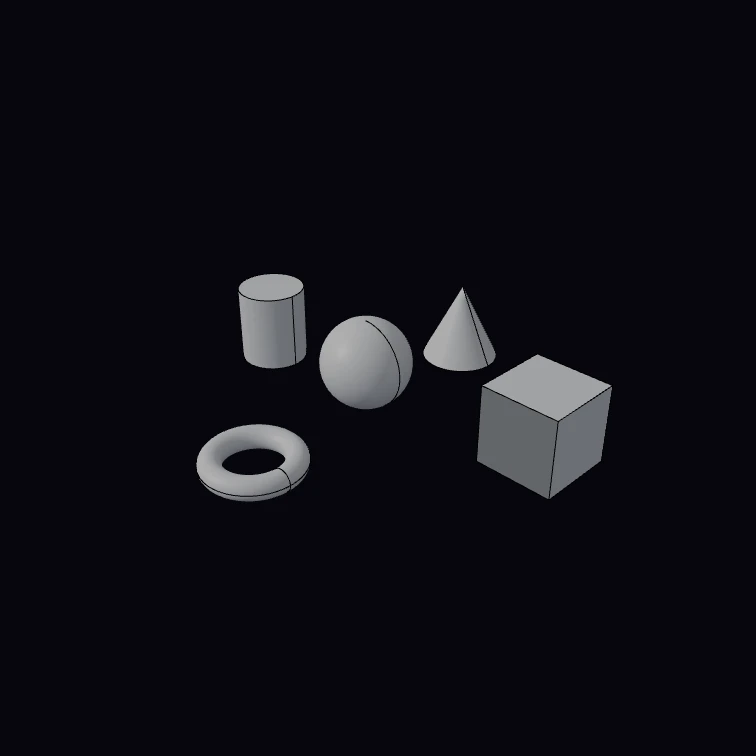 Primitives showcaseSphere, box, cylinder, cone and torus in a plus.
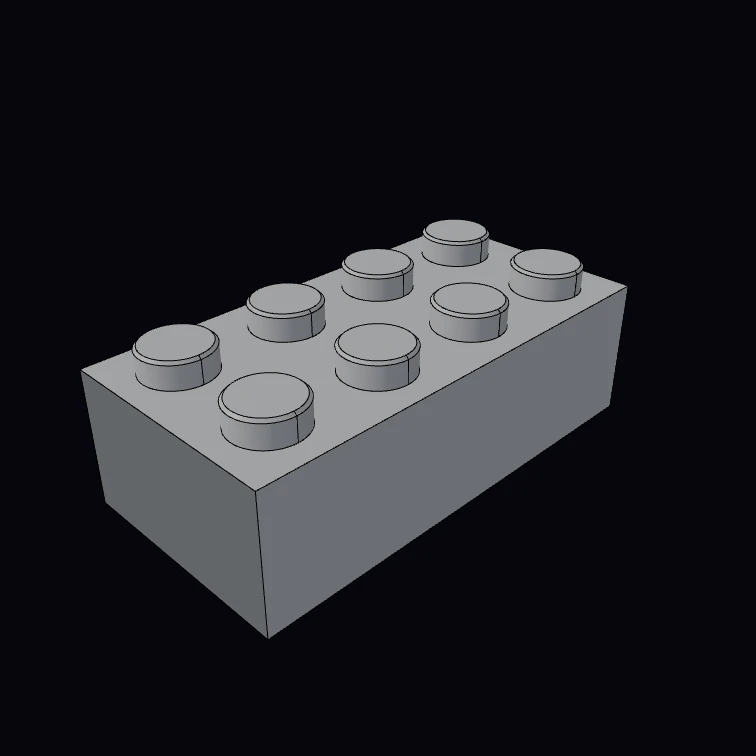 Stud brickParametric interlocking brick — any size from 3 numbers.
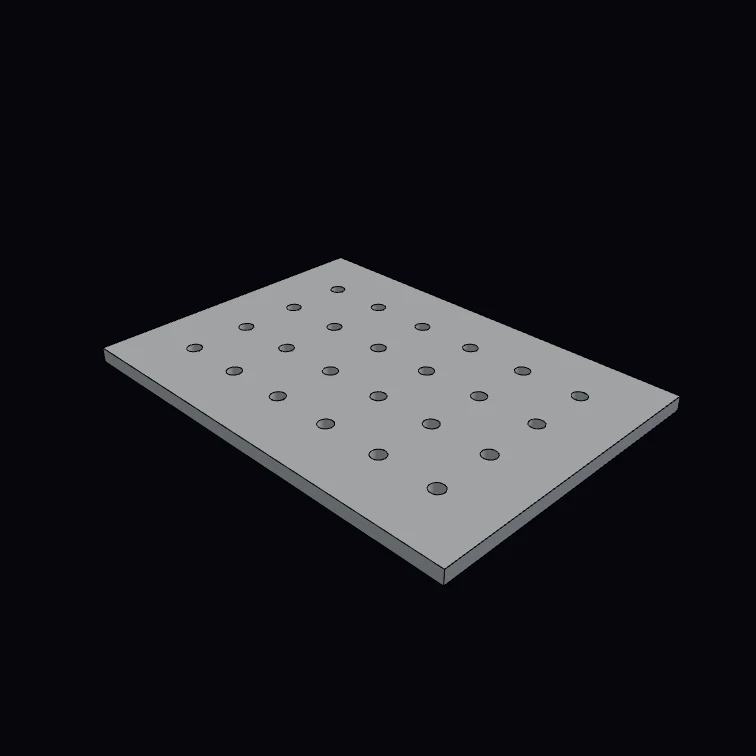 Parametric pegboardA cols × rows grid of pegs cut from a plate.
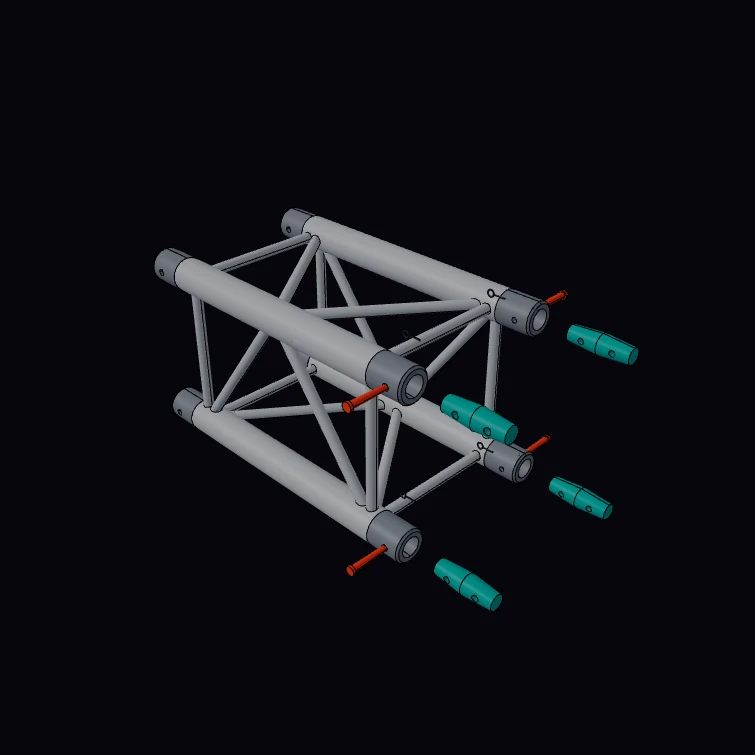 Square Stage TrussA 0.5 m segment of a 290 mm square stage truss with its four conical couplers, pins and clips pulled out. The section, the 50 x 2 mm chords, the 16 x 2 mm braces, the alloy, the lengths and the masses are published figures. The kernel measures the chord section and the mass and prints them beside the catalogue values. The brace pattern, the receivers, the cones, the pins and the clips are a display model.
Next steps
- Boolean Operations:
fuse,cut,intersect, and the failure modes - Fillets & Chamfers: refining edges after primitives meet
- 2D Sketching: non-primitive profiles