
Your First Solid
Build a part from scratch: a 30×20×10 mm block with a 5 mm hole, vertical edges filleted, exported to STEP. Six operations, all type-checked, runnable in the playground.
The full program
import {
  box,
  cylinder,
  cut,
  fillet,
  edgeFinder,
  exportSTEP,
  measureVolume,
  unwrap,
} from 'brepjs/quick';

const block = box(30, 20, 10);
const hole = cylinder(5, 15, { at: [15, 10, -2] });

const drilled = unwrap(cut(block, hole));
const verticalEdges = edgeFinder().inDirection('Z').findAll(drilled);
const part = unwrap(fillet(drilled, verticalEdges, 1.5));

console.log('Volume:', unwrap(measureVolume(part)).toFixed(2), 'mm³');

const step = unwrap(exportSTEP(part));
console.log('STEP file size:', step.size, 'bytes');

export default part;
That is the canonical brepjs flow: primitives → booleans → query → refinement → measurement → export.
What just happened
Step 1: primitives
import { box, cylinder } from 'brepjs/quick';

const block = box(30, 20, 10);
const hole = cylinder(5, 15, { at: [15, 10, -2] });
box(width, depth, height) returns a ValidSolid: a 30×20×10 mm rectangular solid with its lower corner at the origin. cylinder(radius, height, { at }) returns a ValidSolid 5 mm radius, 15 mm tall, with its base centre at [15, 10, -2] so it pokes through the block.
The at option translates the primitive at construction time. You can also translate(cylinder(5, 15), [15, 10, -2]) after the fact; the result is identical.
Step 2: boolean
import { box, cylinder, cut, unwrap } from 'brepjs/quick';
const drilled = unwrap(cut(box(30, 20, 10), cylinder(5, 15, { at: [15, 10, -2] })));
cut(a, b) removes b from a. It returns Result<Shape3D, BrepError>. The operation can fail, for instance on non-manifold or zero-thickness input. (If b doesn't touch a, the cut succeeds and returns a unchanged.) unwrap() extracts the value or throws on error; in production code you'd use isOk() or match() instead. See Result and Errors.
Step 3: query
import { box, edgeFinder } from 'brepjs/quick';
const verticalEdges = edgeFinder()
  .inDirection('Z')
  .findAll(box(30, 20, 10));
Finders are how you select features after the fact. edgeFinder() starts a query, .inDirection('Z') filters to edges aligned with the Z axis, .findAll(shape) runs it. Returns an array of Edge handles; empty if nothing matched.
Finders & Queries covers the full filter vocabulary.
Step 4: refinement
import { box, cylinder, cut, fillet, edgeFinder, unwrap } from 'brepjs/quick';
const drilled = unwrap(cut(box(30, 20, 10), cylinder(5, 15, { at: [15, 10, -2] })));
const part = unwrap(fillet(drilled, edgeFinder().inDirection('Z').findAll(drilled), 1.5));
fillet(shape, edges, radius) rounds the listed edges. Like all fallible operations it returns Result. The same pattern works for chamfer (bevels) and shell (hollows out a solid by removing faces).
Step 5: measure
import { box, measureVolume, unwrap } from 'brepjs/quick';
console.log('Volume:', unwrap(measureVolume(box(10, 10, 10))).toFixed(2), 'mm³');
Measurement functions return Result<number>. Null shapes and other inputs that prevent measurement surface as BrepError rather than throwing. unwrap() extracts the number or throws; in production code prefer isOk() / match(). measureVolume, measureArea, measureLength are the most common; see Measurement for the full set.
Step 6: export
import { box, exportSTEP, unwrap } from 'brepjs/quick';
const step = unwrap(exportSTEP(box(10, 10, 10)));
exportSTEP returns Result<Blob>. The blob is a STEP file ready to save (in Node, write to disk; in the browser, trigger a download via an <a> tag). brepjs ships exporters for STEP, STL, BREP, IGES, glTF, DXF, 3MF, OBJ, and SVG; see Import & Export.
The fluent equivalent
The same program with the shape() wrapper:
import { box, cylinder, shape, exportSTEP, unwrap } from 'brepjs/quick';

const part = shape(box(30, 20, 10))
  .cut(cylinder(5, 15, { at: [15, 10, -2] }))
  .fillet((e) => e.inDirection('Z'), 1.5).val;

console.log('Volume:', shape(part).volume().toFixed(2), 'mm³');
const step = unwrap(exportSTEP(part));

export default part;
The wrapper auto-unwraps Results and throws BrepWrapperError on failure. Each operation returns a typed wrapper (Wrapped3D, WrappedFace, etc.) so .fillet, .shell, .translate, .volume are all available without separate imports. Use .val at the end to extract the underlying shape.
The functional API and the wrapper produce the same geometry. Pick whichever feels right; the Cheat Sheet shows both side by side.
Common variations
Drill multiple holes
import { box, cylinder, fuseAll, cut, unwrap } from 'brepjs/quick';

const block = box(40, 40, 10);
const holes = unwrap(
  fuseAll([
    cylinder(2, 12, { at: [10, 10, -1] }),
    cylinder(2, 12, { at: [30, 10, -1] }),
    cylinder(2, 12, { at: [10, 30, -1] }),
    cylinder(2, 12, { at: [30, 30, -1] }),
  ])
);
const part = unwrap(cut(block, holes));

export default part;
Boolean-fuse the holes first, then cut once. Four cuts become two booleans: faster and avoids a class of failure modes when the cuts overlap.
Sketch-then-extrude profiles
import { sketchRoundedRectangle } from 'brepjs/quick';

const part = sketchRoundedRectangle(40, 30, 5).extrude(15);

export default part;
For shapes you cannot build from primitive booleans, sketch the cross-section in 2D and extrude. See 2D Sketching.
Save the STEP file (Node)
import { writeFileSync } from 'node:fs';
import { box, exportSTEP, unwrap } from 'brepjs/quick';

const part = box(30, 20, 10);
const step = unwrap(exportSTEP(part));
writeFileSync('part.step', new Uint8Array(await step.arrayBuffer()));
In the browser, trigger a download:
declare const step: Blob;
const url = URL.createObjectURL(step);
const a = document.createElement('a');
a.href = url;
a.download = 'part.step';
a.click();
URL.revokeObjectURL(url);
When operations fail
The two ways failure surfaces:
- Functional API:
Result<T, BrepError>. Check withisOk(result)and readresult.error.code/result.error.suggestion. - Wrapper: a thrown
BrepWrapperErrorcarrying the same fields.
The most common failures and their typical causes:
| Failure | Likely cause |
|---|---|
CUT_NOT_3D (FUSE_NOT_3D, INTERSECT_NOT_3D) | The boolean didn't produce a solid: an operand is a shell or open surface, or the input is degenerate. For intersect, the operands may not overlap. Run autoHeal(shape) on the inputs first. |
FILLET_FAILED | The kernel couldn't build the fillet, usually because the radius is bigger than the local edge geometry can support. Try a smaller radius or fewer edges. |
INVALID_FILLET_RADIUS | The radius is zero or negative. |
Thrown brepjs kernel not initialized | You called a brepjs function before init() / registerKernel resolved. This one throws instead of returning a Result. |
Error Codes lists the common codes with recovery patterns.
Examples
The playground has more parts at this level. Each one is a single file that you can read and change.
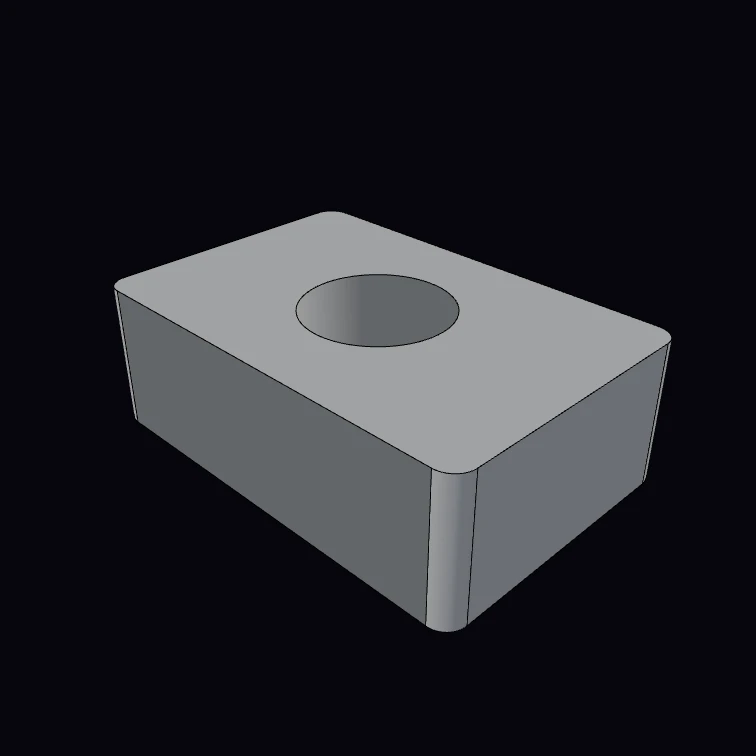 Drilled bracket (5 lines)Box, drilled and filleted — the canonical loop.
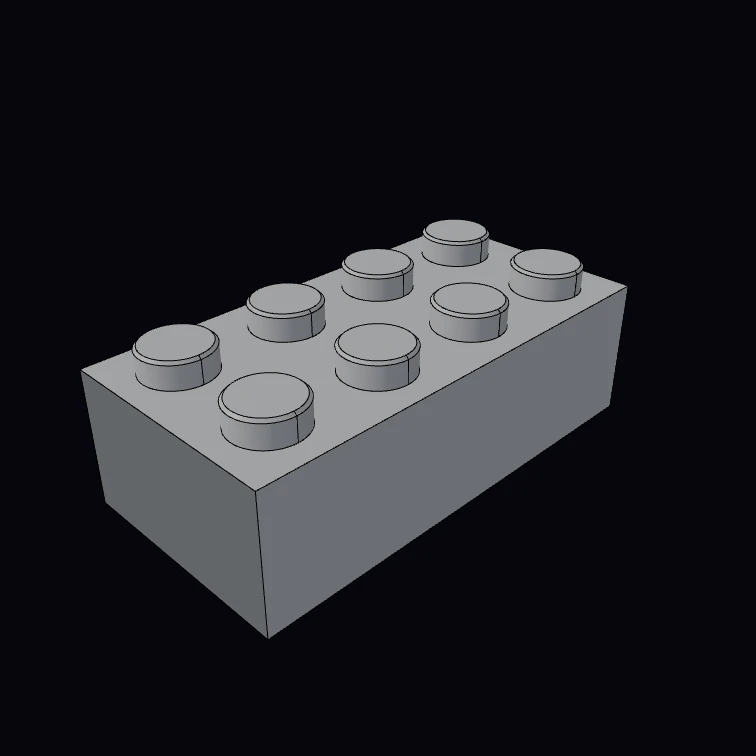 Stud brickParametric interlocking brick — any size from 3 numbers.
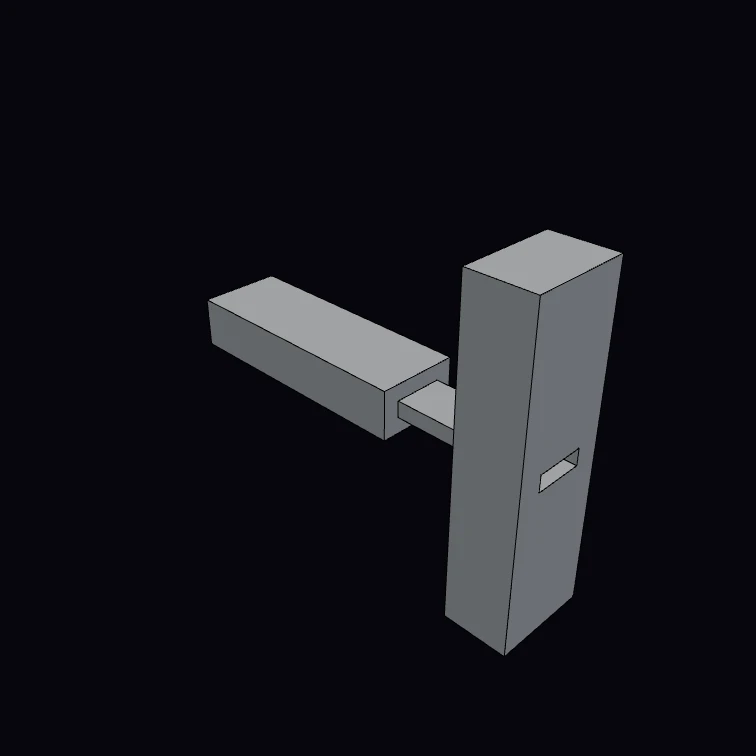 Mortise & tenonA through mortise-and-tenon joint, exploded.
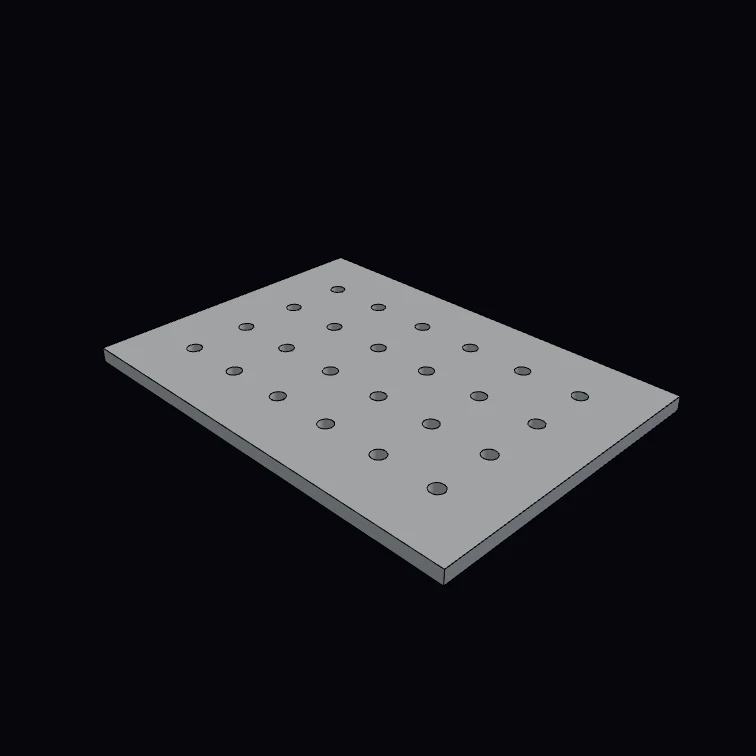 Parametric pegboardA cols × rows grid of pegs cut from a plate.
Next steps
- Cheat Sheet: single-page reference for the full API
- Boolean Operations: fuse, cut, intersect, and the failure modes
- Fillets & Chamfers: when fillets fail and how to fix them
- Memory Management:
usingand DisposalScope for long-running apps